
Pick up to 5 places your community loves. Their pages in the app get a "Recommended by" line with your name — that's how people find you through places.
Find a place
Recommendations tab → "Search places": type at least 2 letters and tap "Add". You can recommend places from the catalog.
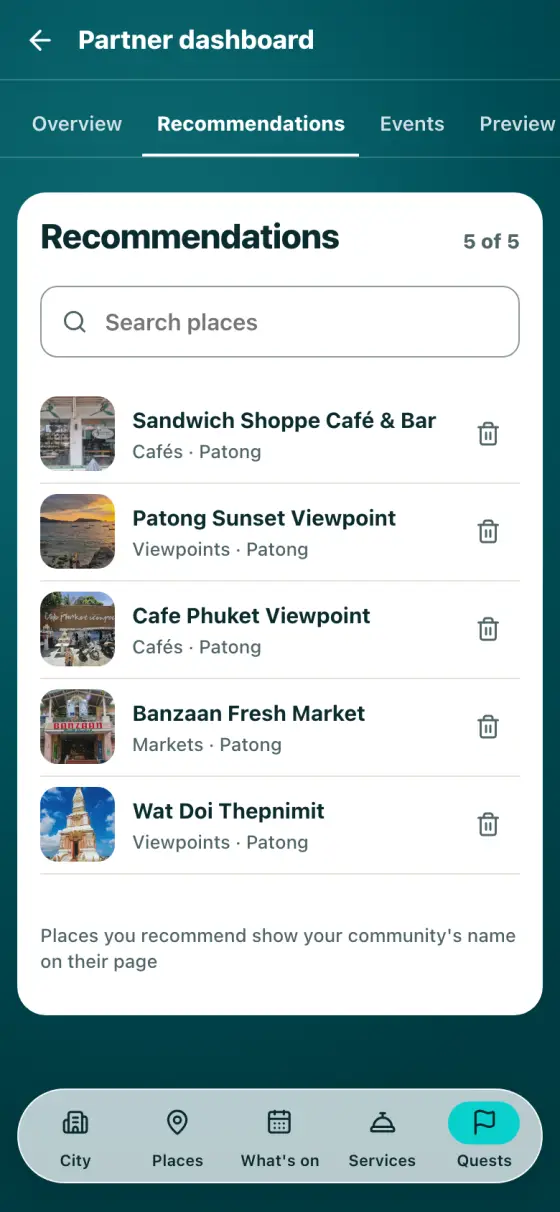
Recommendations How it looks
A place page shows up to three communities with logos, the rest as "+N". A tap opens your card; these visits show up in your stats.
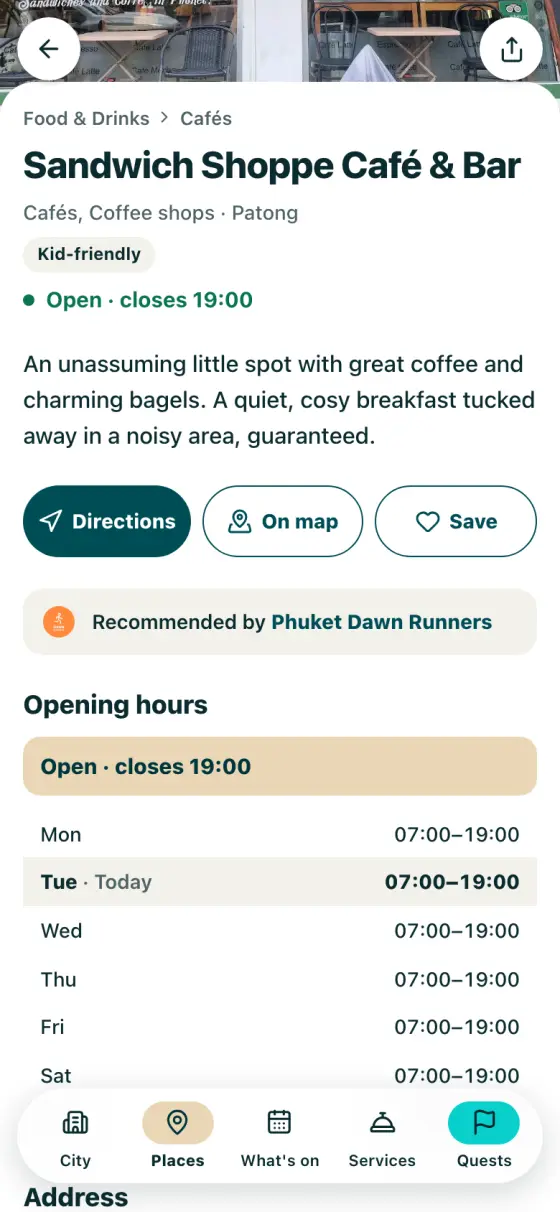
"Recommended by" on a place page Change them any time
Up to 5 places: remove one to add another. Changes are live right away, without review.
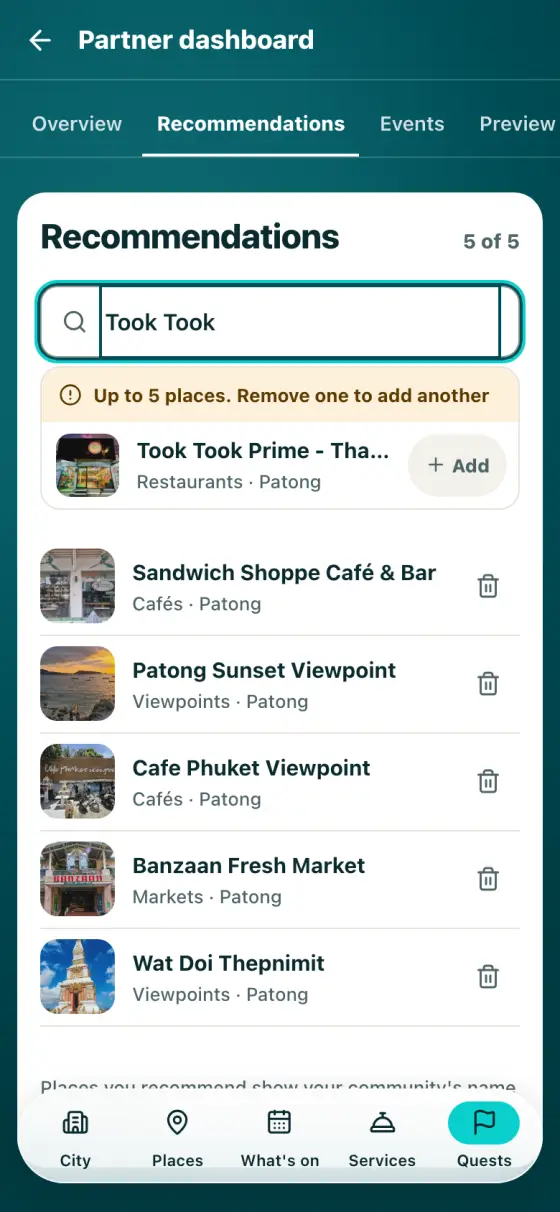
The 5-place limit
Important: Recommendations are not for sale to venues — that's a listing rule.
Tip: If the bot is connected and "Recommendation announcements" are on, a new place goes out as a post in your channel. The same place can be posted again after 30 days.