
The card is your community's page: in the app, the Telegram Mini App and on the website. It takes about 10 minutes.
Open the dashboard
Profile → "Partner dashboard", or the "Open dashboard" button in the bot's message. On a computer, the dashboard is at https://app.nearo.guide/partner.
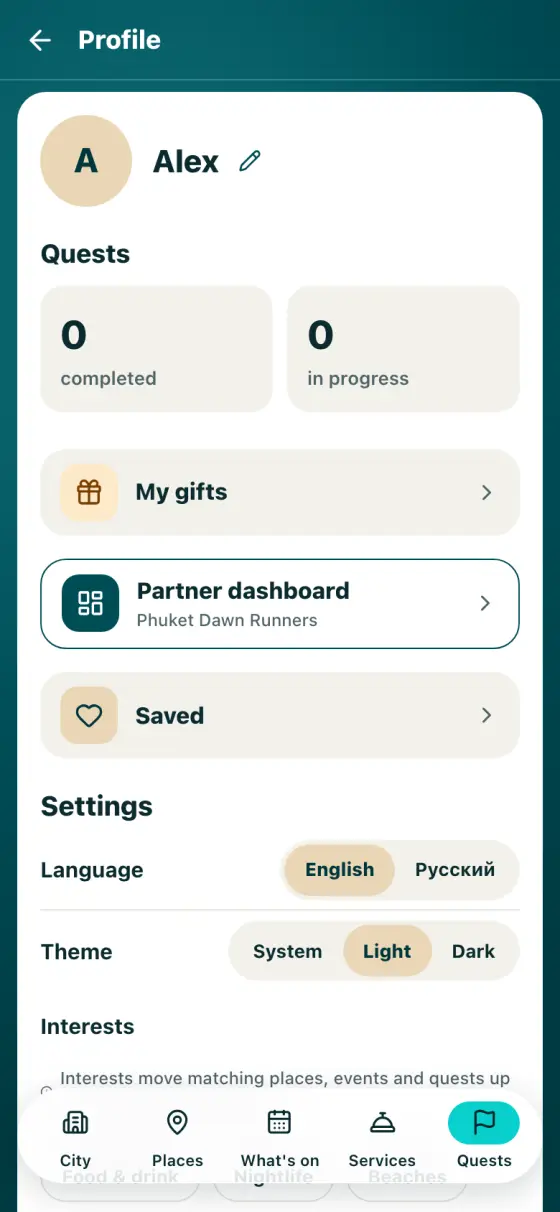
"Partner dashboard" in the profile Fill in the Overview
- Logo — a public Telegram channel's avatar is added automatically; upload another one to replace it. JPG, PNG, WEBP or GIF.
- Name — up to 80 characters.
- Description — what the community is about and who it's for, up to 600 characters. Write in one language: we translate the other one, English or Russian.
- Topic — sets where the community appears in the catalog.
- Format — chat, channel or club. A club means you meet in person; only clubs have a district.
- Languages — tick every language members use.
- Links — up to 10, one of them main: it opens from the big button on the card.
- How to join — open link, request to join, or just come.
Tap "Save changes" — they're live right away, without review.
Tip: For the card to be found on Google, it needs a description of 80+ characters, a link and a logo.
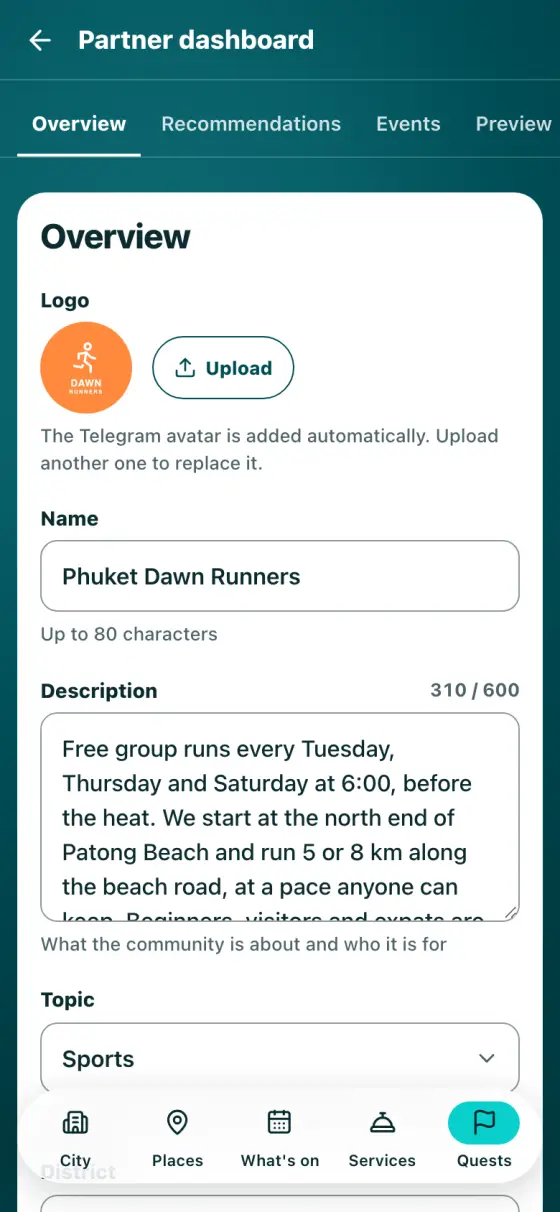
The Overview Check the Preview
It shows the card as visitors see it and what's missing for search.
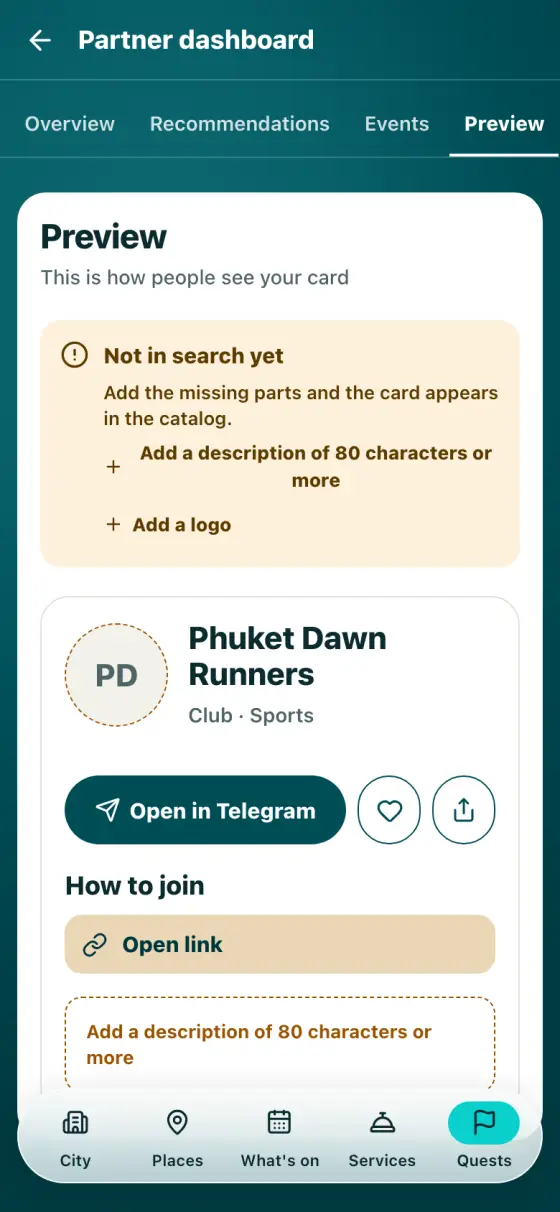
The preview
| What | Limit |
|---|---|
| Name | up to 80 characters |
| Description | up to 600 characters |
| Links | up to 10, one main |
| Logo | up to 10 MB |
Important: If you remove the t.me address of the channel or group the bot is connected to, the bot disconnects.
Tip: Our team handles the translation into the second language. If it's off, email support@nearo.guide and we'll fix it.
Housing and second-hand groups get a safety reminder on their card automatically.