
The bot posts announcements of your events and recommendations in your channel or group — only what you turn on. It doesn't read messages. The bot is connected together with the community — you don't need to add it separately.
The bot is already in your chat
When you connect the community with "Pick a channel" or "Pick a group", Telegram adds the bot itself: to a channel as an admin with one right, "Post messages"; to a group as a member. The dashboard shows it in Settings → "Telegram bot": "Channel @username" or "Group @username".
Tip: If members can't post in your group, make the bot an admin or add it to exceptions — otherwise it can't post.
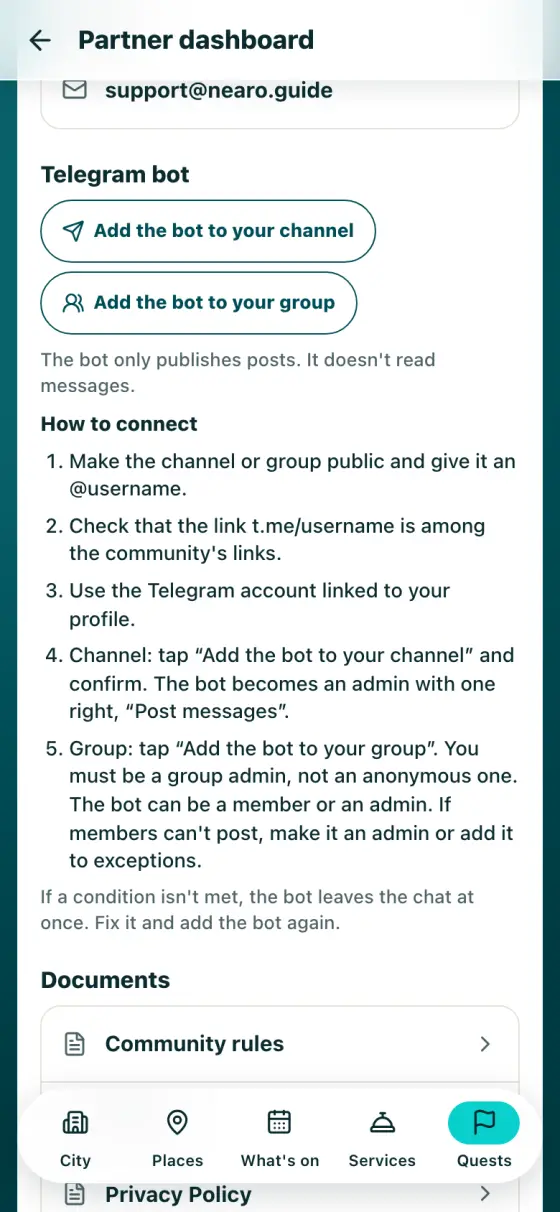
The bot in dashboard settings 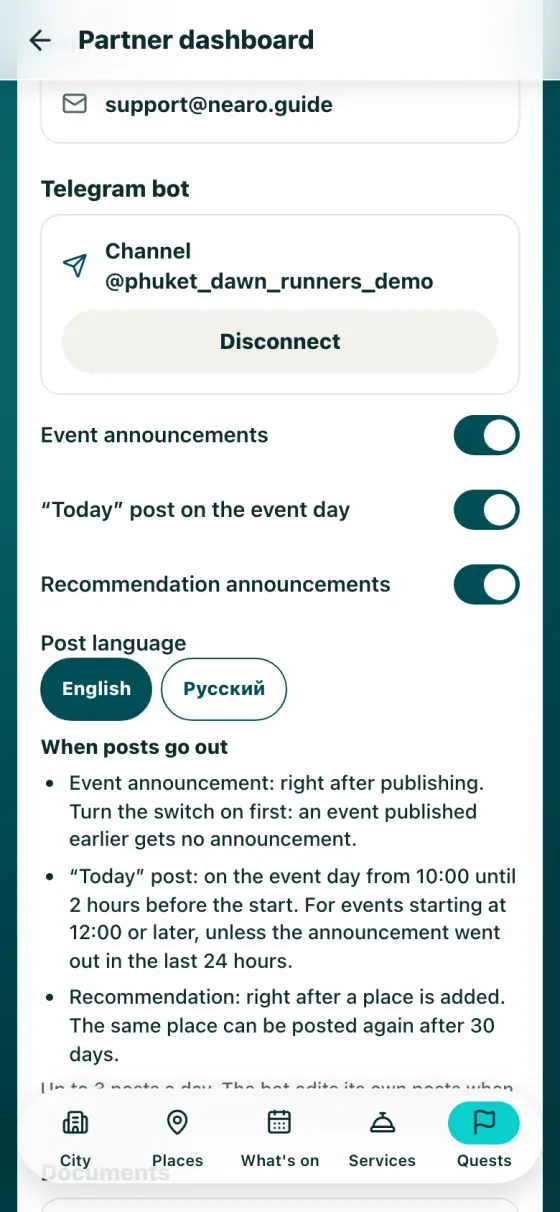
Bot posts Turn posts on
Until you turn something on, the bot stays silent.
- Event announcements — right after publishing. An event published before you turned this on gets no announcement.
- "Today" post — on the event day from 10:00 until 2 hours before the start; for events starting at 12:00 or later, unless the announcement went out in the last 24 hours.
- Recommendation announcements — right after you add a place; the same place can be posted again after 30 days.
- Post language — English or Russian.
Up to 3 posts a day; the rest go out the next morning at 10:00. Event announcements have an "I'm going" button. The bot edits its own posts when you change the event and deletes nothing.
Important: Posts start once our editors show the community in the catalog.
Disconnecting
Tap "Disconnect" in the dashboard, or just remove the bot from the chat. To bring it back, use Settings → "Telegram bot": the channel or group must be among the card's links.
If something's wrong
- "The bot can't post"
- give it the "Post messages" right.
- "Members can't post in this group"
- make the bot an admin or add it to exceptions. If you allowed everyone to post, remove the bot and add it again.
- "The bot was removed. Connect it again"
- Settings → "Telegram bot" → add it again.
- "Link Telegram in Settings" instead of the buttons
- link Telegram in your profile.