
Up to 10 services with prices, on your page in the app and on the website. They go live as soon as you save, without review.
Add a service
Services → "Add a service".
- Service — what guests get, for example "Retirement visa"; up to 80 characters.
- Description — what's included, how long it takes; up to 300 characters.
- Category — one of your card's categories.
- Price — in the city's currency: "Price" for a sum, "From", "Range", or "No price" when it depends.
Tap "Save". Write in English or Russian: the other language is a machine translation.
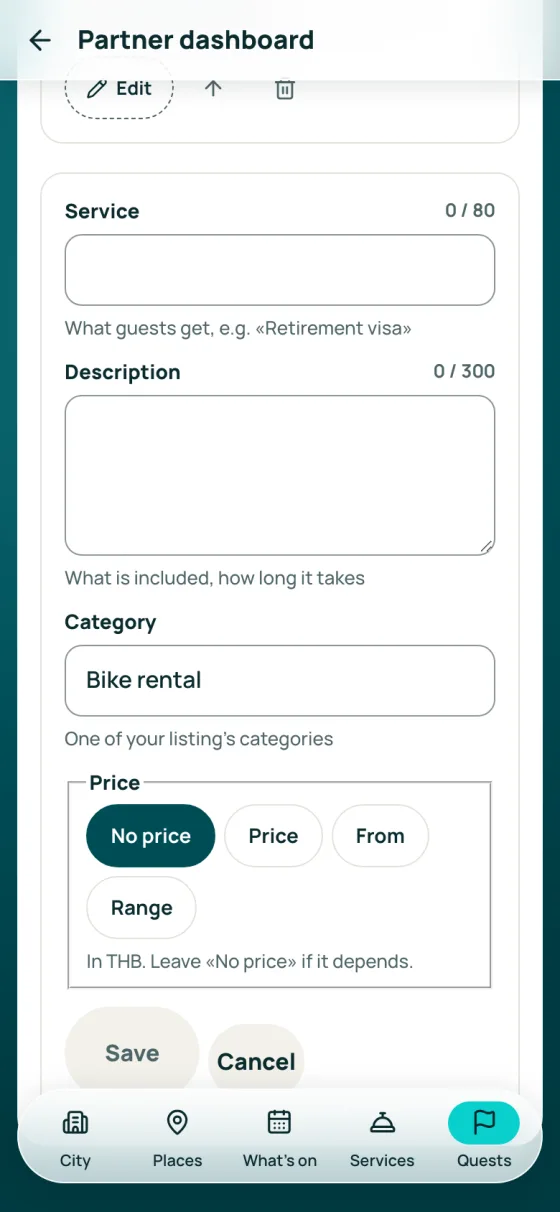
A service's form Set the order
Guests see the services in the order of the list: "Move up" and "Move down" change it. "Edit" and "Delete" are on each service.
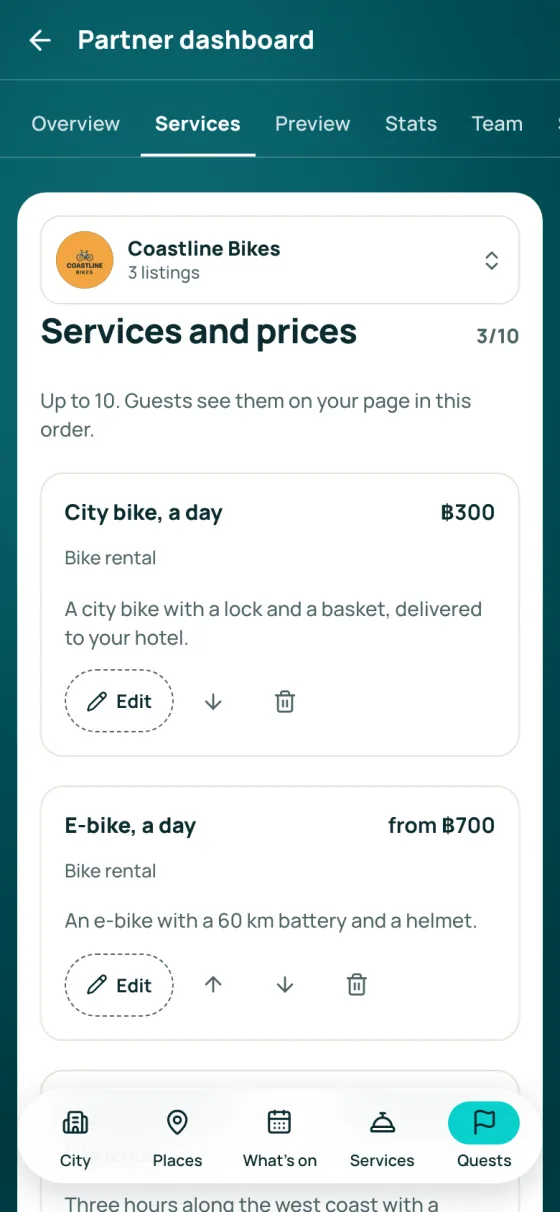
Services and prices
| What | Limit |
|---|---|
| Services | up to 10 |
| Name | up to 80 characters |
| Description | up to 300 characters |
Tip: If there are no categories to pick from, send the categories of your card for review first — see "Edit the card".
The prices also go into the page's markup for search engines.
If something's wrong
- "Up to 10 services"
- delete one to add another.
- "Pick one of your listing's categories"
- the category has to be one of the card's.