
Run the dashboard together: a organizer has one owner and up to 5 editors. Only the owner sees the Team and Settings tabs.
Invite an editor
Team → "Invite an editor". Tick the rights:
- Card;
- Events;
- Statistics.
By email — they get an email with a link; only someone who confirms that address with a code can accept.
Invite by link — one-time: whoever opens it first and taps "Accept" asks for access, and you confirm it in Team. In Telegram you can send the link as a ready-made message.
Tip: An invitation is valid for 7 days. While it waits for an answer, it takes a place in the 5-editor limit.
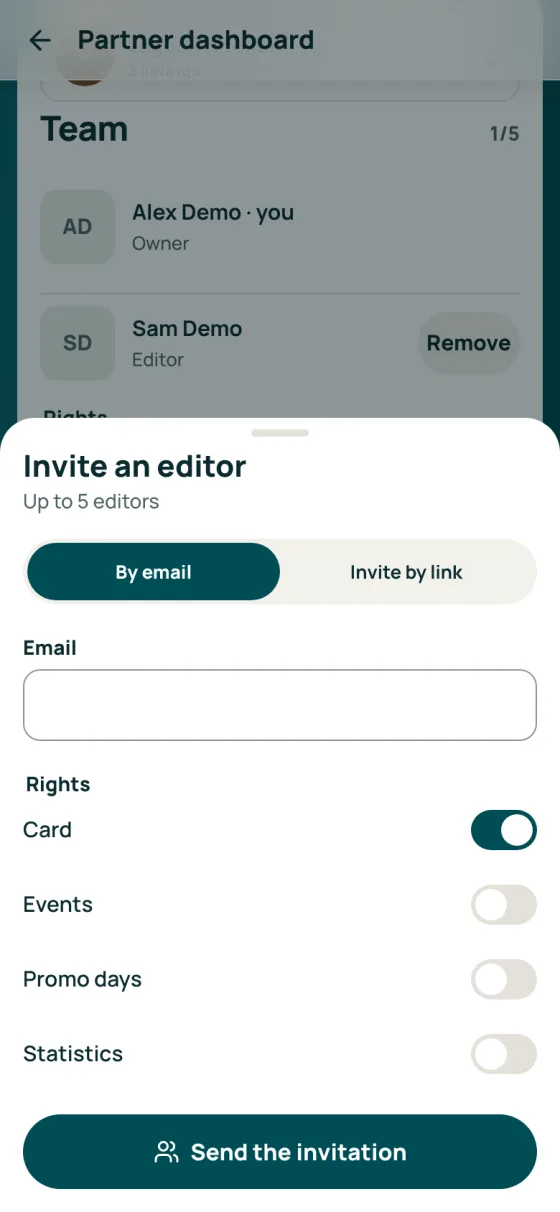
Inviting an editor Change rights
Rights change right away. "Remove" takes an editor off the team; they don't get a message about it.
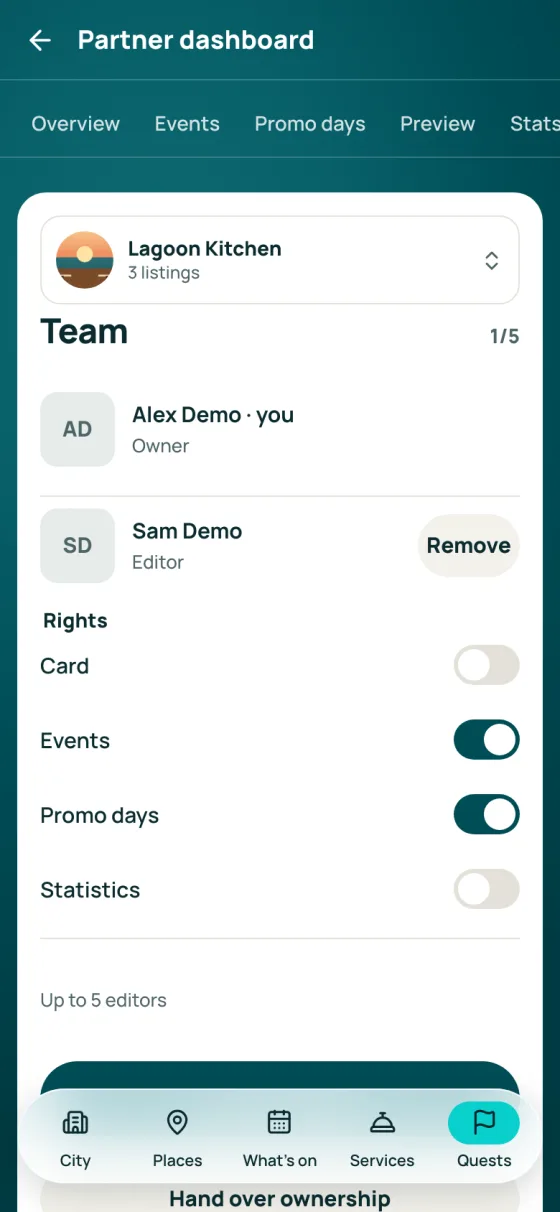
The team Hand over ownership
"Hand over ownership" — by email or by link. You stay the owner until the new owner accepts and, for a link, until you confirm. After the handover you become an editor with all rights until the new owner removes you.
Important: If the team already has 5 editors, remove one first: after the handover you become an editor yourself. Handing over to a current editor works even with a full team.
An editor can't leave the team on their own — ask the owner. The owner can't delete their account while they own a organizer: hand over ownership or request removal first.