
If you sent a link or our editors added the organizer themselves, a sign-in link to the dashboard gives you access — it works once, for 7 days.
Where the link comes from
Our editors send the sign-in link only to the organizer's official contact — the email, messenger or phone on your website or page. No documents needed.
Open the sign-in link
The sign-in link works once, for 7 days. It opens the "Become the owner" screen with the listing. If you're not signed in, the app asks you to sign in first and brings you back.
Tap "Become the owner". By continuing, you accept the rules for partners — the link to them is under the button. "Partner dashboard" then appears in your profile.
Tip: Our editors may message you first — on WhatsApp, LINE or the listing's email — with the same kind of link.
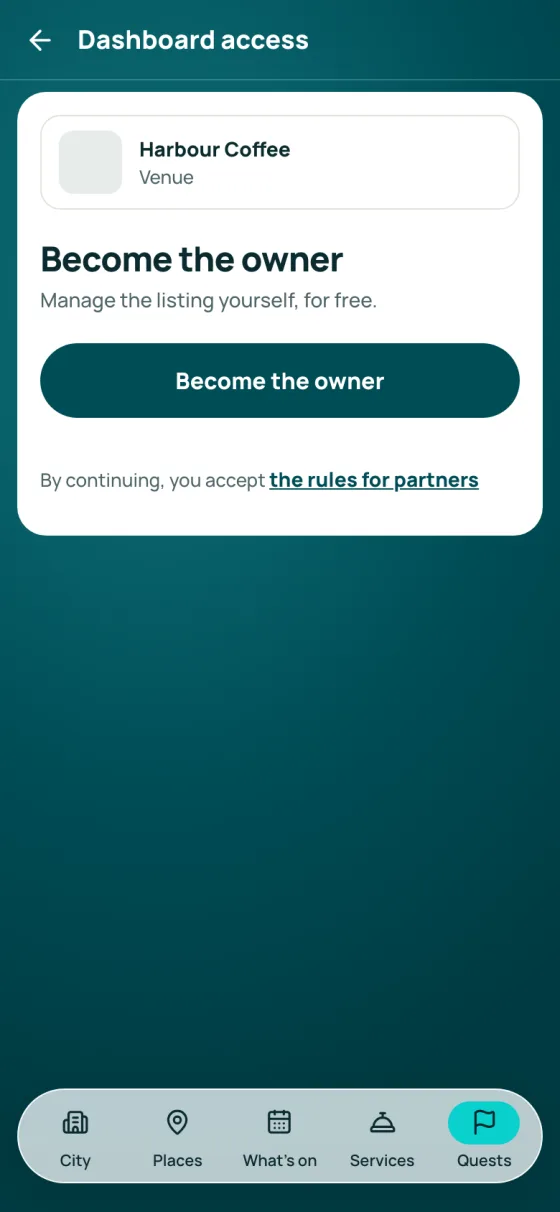
"Become the owner"
You become the owner right away, and "Partner dashboard" appears in your profile. No documents needed: our editors check afterwards.
If something's wrong
- The listing is marked "already managed"
- someone already runs it. Ask the owner to invite you to the team.
- "This link no longer works"
- the link was used, expired or replaced by a new one. Ask for a new one: email support@nearo.guide or send /support to our bot @nearo_guide_bot.
- No link after 3 days
- email support@nearo.guide or send /support to our bot @nearo_guide_bot.