
Concerts, quiz nights, classes — anything any guest can come to. An event goes into the listings right away, without review; it takes place at your venue.
Add an event
Events → "Add event".
- Title — up to 120 characters.
- Description — up to 3,000 characters. Write in English or Russian: the other language is a machine translation.
- Starts and Ends — both required, in city time.
- Venue — your venue; the form doesn't change it.
- Category — one or two.
- Poster — required: portrait 4:5, at least 1080 px wide, JPG, PNG or WEBP.
- "Free" or a ticket link.
"Publish" puts the event in the listings right away, without review. "Save draft" keeps it in the dashboard, where nobody else sees it.
Guests tap "Going" on the event page. We remind them before the start and tell them if the date or venue changes or the event is canceled.
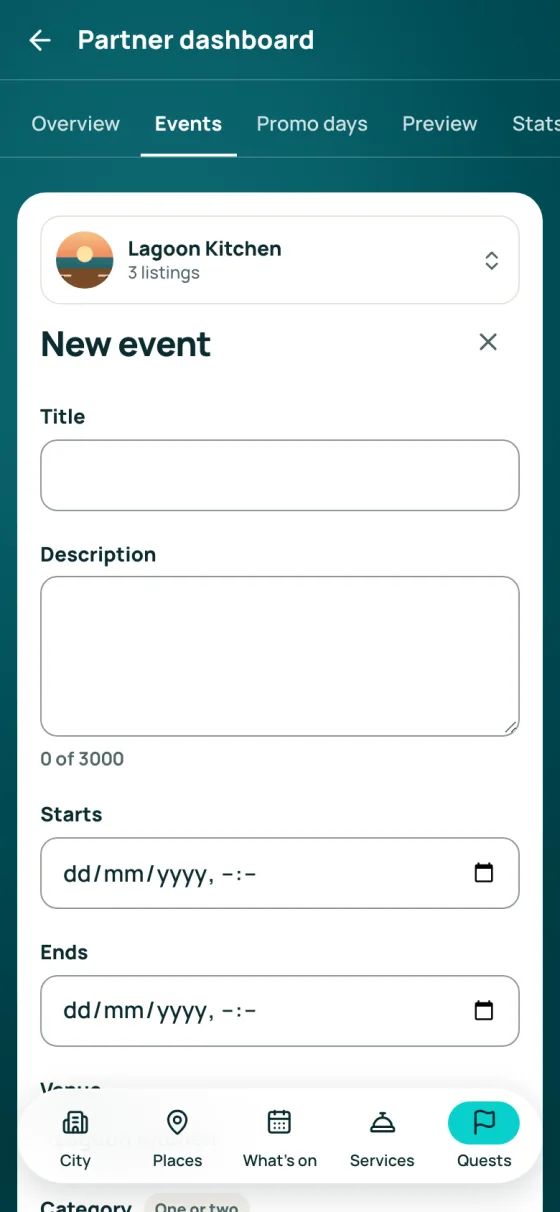
The event form Mind the limit
A venue has up to 10 published upcoming events created in the dashboard at a time. When the limit is reached, the form offers "Save draft": publish the event when one of the others is over.
- events from our sources don't count;
- events already published over the limit stay on show.
Fix events "From our sources"
Under your events — "From our sources": upcoming events at your venue that we found in the city's listings. You can see them, but not edit them from the dashboard.
An event with one date has "Fix": the form opens with its details filled in. When you publish, your version replaces the event from our sources, and its link leads to yours. A version saved as a draft replaces nothing.
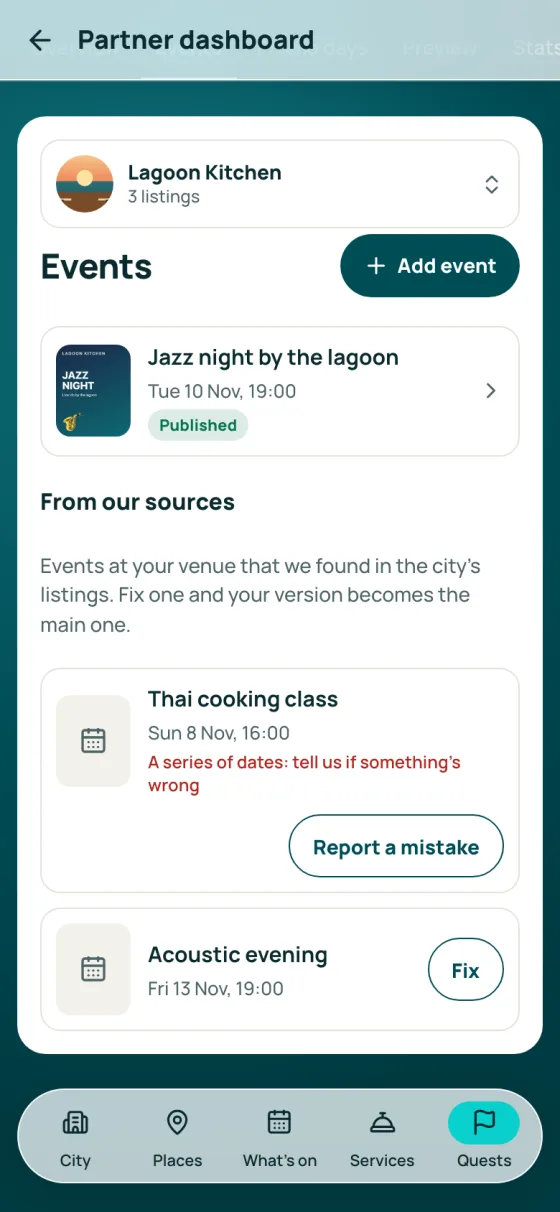
Your events and "From our sources" Report a mistake in a series
A series of dates has no "Fix": it would lose its other dates. Tap "Report a mistake", write what's wrong — up to 500 characters — and tap "Send". The report goes to our team with the reason "Mistake in the event"; we check the event and fix it.
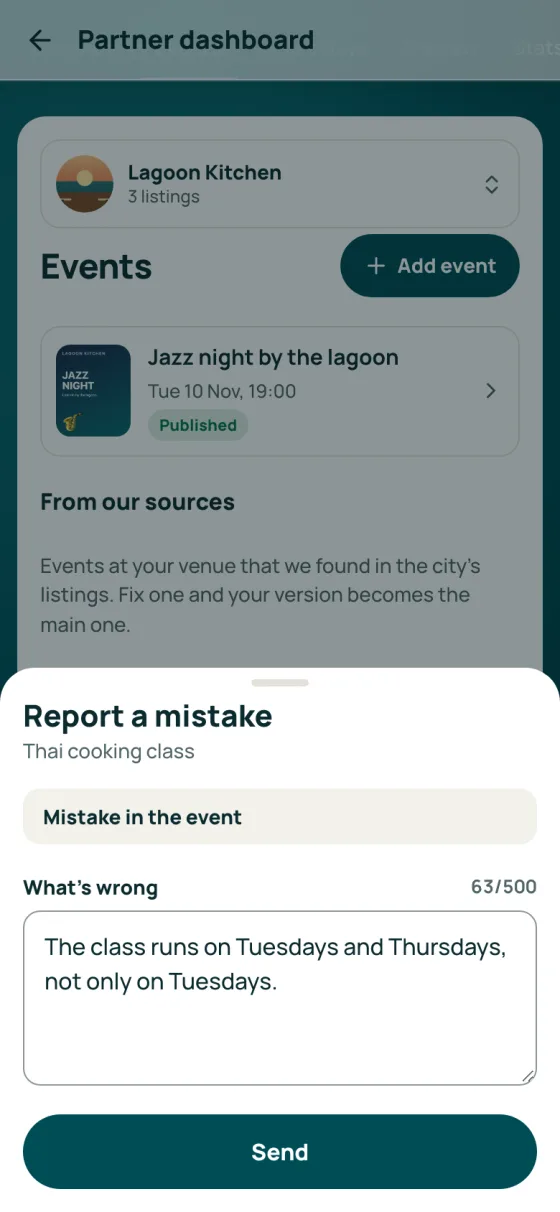
"Report a mistake" on a series Watch the status
"Published", "Draft" or "Hidden by admin" — with a reason. You can still edit a hidden event; only an admin shows it again.
Important: If our team hides the venue, the events created in its dashboard are hidden too and come back with it.
If something's wrong
- "Up to 10 upcoming events…"
- save the event as a draft and publish it when one of the others is over.
- "The start has to be ahead"
- set a start in the future.
- "This event is linked to a source on our stop list"
- we don't publish such events.
- "This event can't be fixed here any more"
- add the event yourself with "Add event".