
No documents needed. Access goes through the venue's official contacts on its listing — its email, website domain, Telegram channel, messenger or phone: whoever gets it runs the venue. Can't reach these contacts? Send a link, and our team checks it.
Choose a way
The "Confirm it's yours" screen shows only the ways the listing has. Every way but the listing's email needs an account.
The listing's email — right away
Tap "The listing's email". The email with the sign-in link goes to the listing's address at once; open the link in it. Tapping again within an hour sends no new email.
A work email — right away
Tap "I have an email at @…", enter an address on the domain of the official website on the listing, then the code from the email. The right code makes you the owner at once.
- a free email service — Gmail, Outlook, Yahoo, iCloud and the like — doesn't count;
- a website on a site builder's subdomain or a social network doesn't confirm a domain — such a listing doesn't offer this way.
Tip: If the email doesn't arrive within a minute, check spam or tap "Send again".
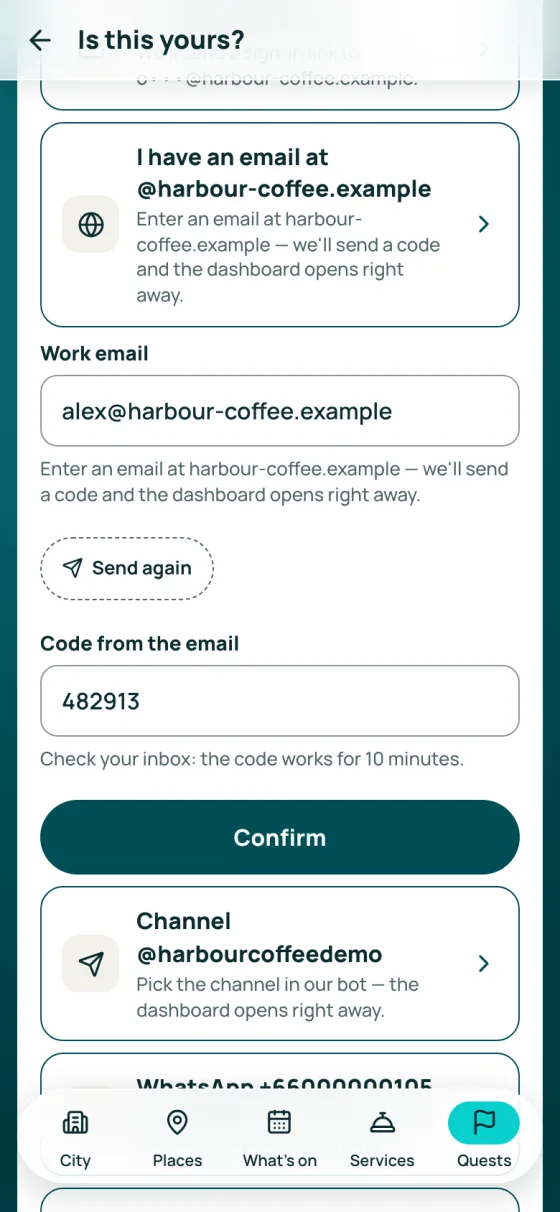
A work email and the code The listing's Telegram channel — right away
Tap "Channel @…" — our bot opens. Tap "Pick a channel": Telegram lists only the channels where you're an admin and adds the bot there itself. If the @username matches the listing's channel, you're the owner; the bot leaves the channel right away.
WhatsApp, LINE or phone — within 3 days
Tap "WhatsApp …" or another contact from the listing. Our team sends a sign-in link to that contact within 3 days.
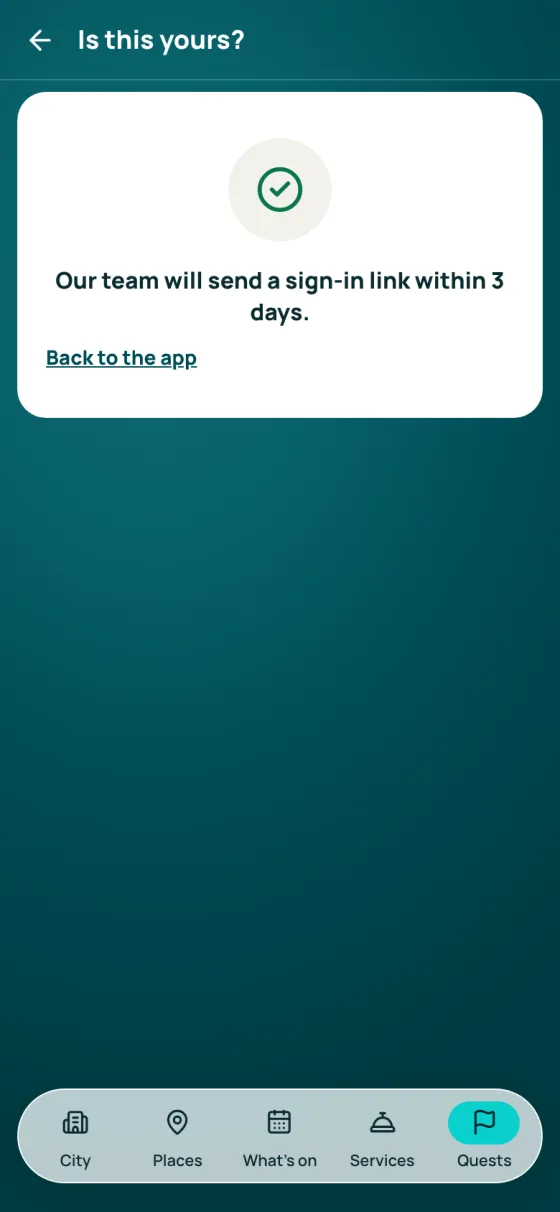
The link comes within 3 days No access to the contacts — our team checks
Tap "Can't reach these contacts? Send a link — our team will check" — it's always the last line. On a listing without contacts it's the only button, "Send a link", with our email and /support in the bot under it.
Paste a link that shows the listing is yours — your website, Google Maps or Instagram — and say how to reach you: a link or @name. Our team checks it and sends a sign-in link to that contact within 3 days.
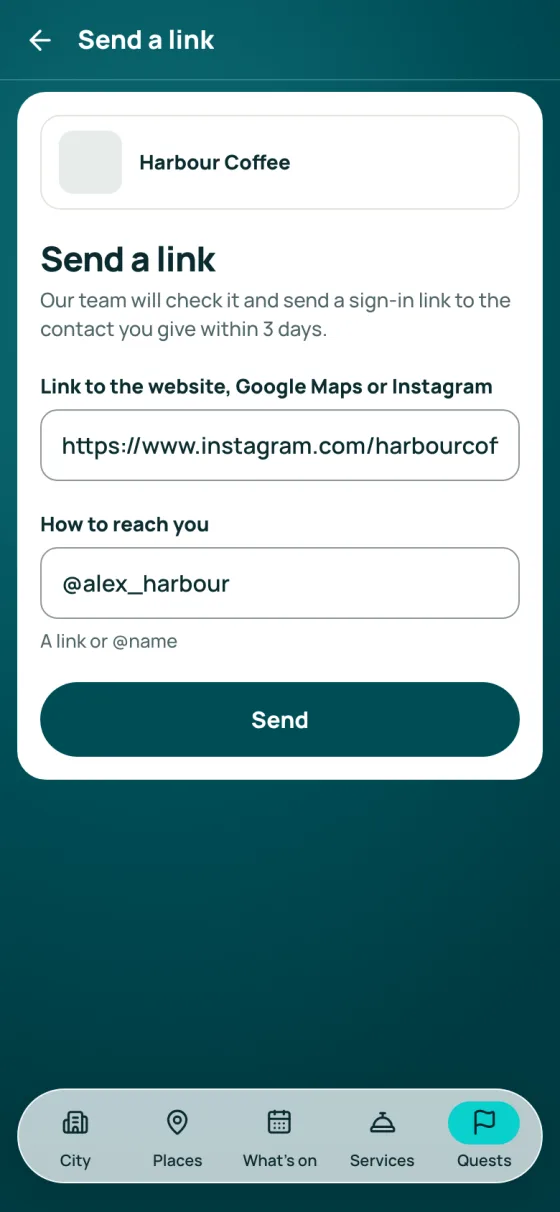
"Send a link": the listing and your contact A sign-in link from an email or a message works for 7 days and opens once: the "Become the owner" screen → the "Become the owner" button.
When you get access, the venue's official email, if it has one, gets a notice saying which account got it. If it wasn't you, reply to that email.
If something's wrong
- "A free email service can't confirm a business."
- use an address on your website's domain or pick another way.
- "The address isn't on the domain of the official website."
- the address must end with the domain named on the screen.
- "The code is wrong or has expired"
- tap "Send again" and enter the new code.
- The bot says "That's not the channel on the listing"
- pick the channel the listing links to, or another way.
- The contact you need isn't on the listing
- tap "Can't reach these contacts? Send a link — our team will check". If the listing's contacts are out of date, our team checks them against official sources.